1 x 1 inch Photo Maker
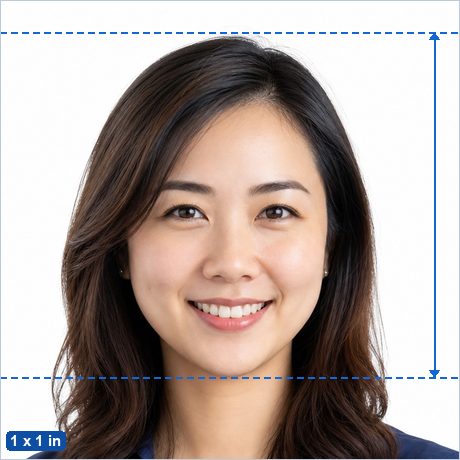
The 1 x 1 inch (25.4 x 25.4 mm) format is used by the documents listed below — each with its own head-height rule, so check yours before you crop. This page covers the format itself: exact sizes in millimetres, centimetres, inches and pixels, how many fit on a print sheet, and a free cropper with head-position guides. Everything runs locally in your browser: no ads, no watermark, and your photo is never uploaded.
Open the 1 x 1 inch photo maker →
1 x 1 inch in every unit
| Millimeters | 25.4 x 25.4 mm |
|---|---|
| Centimeters | 2.54 x 2.54 cm |
| Inches | 1 x 1 in |
| Pixels at 300 DPI | 300 x 300 px |
| Pixels at 600 DPI | 600 x 600 px |
| Per 4 x 6 in sheet | 24 photos or more (the maker packs the sheet edge to edge automatically) |
Frequently asked questions
How many pixels is a 1 x 1 inch photo?
300 x 300 px at 300 DPI, or 600 x 600 px at 600 DPI for high-quality printing. In inches that is 1 x 1 in; in millimeters 25.4 x 25.4 mm.
How do I resize a picture to 1 x 1 inch?
Open the free maker with this size preselected, upload any portrait, drag and zoom until the head sits between the guides, and download the exactly-sized JPG. No signup, no ads, no watermark — and your photo is processed entirely in your browser.
How do I print 1 x 1 inch photos?
Download the 4 x 6 in sheet — the maker packs as many 1 x 1 inch photos as fit and adds cut lines — then print it as a regular borderless 4x6 photo at 100% scale at any photo shop, pharmacy photo kiosk or at home.